Start from 12 templates
Templates for purchase, accounting, payments and new-record reviews.
Turn approval policies into named stages, clear responsibilities and a traceable decision history in Odoo.
$79 USD
Listed addon price. Final checkout amount is shown on Odoo Apps.
Approvals scattered across email and chat make it hard to know who should act next. Keep the request, reviewer and decision together.
Templates for purchase, accounting, payments and new-record reviews.
Start with guided setup, then add more than two approval steps and customize each stage name.
Company, conditions, amount limits and project / department tags on supported documents.
My Approvals for users; Approval Management for workflow administrators.
Follow reviewers, decisions, source documents and temporary delegations.
Snapshots of pending and completed requests, elapsed time and target overruns.
Screens from demo environments with fictional data.
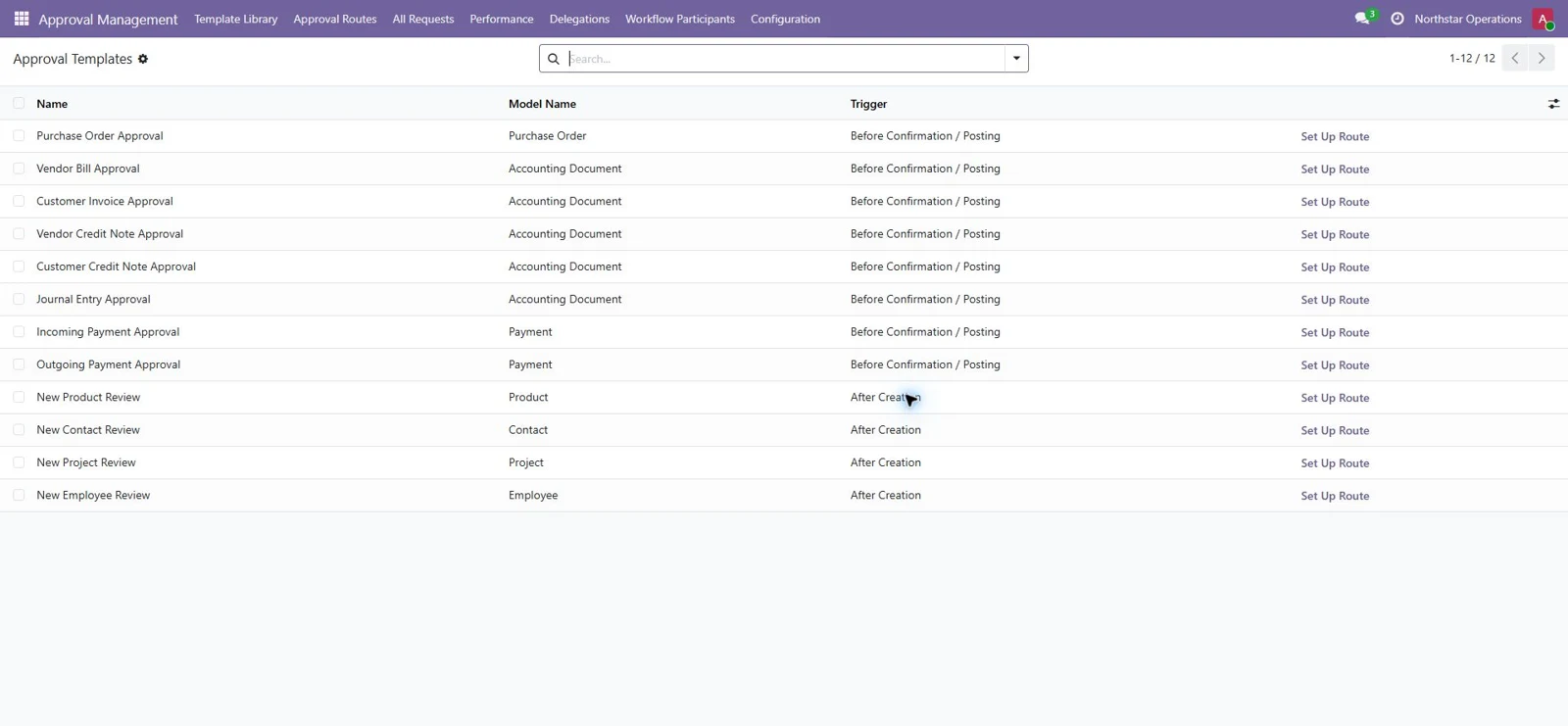
Silent walkthroughs with English on-screen explanations. Select a cover to watch on YouTube.
 Watch the walkthrough
Workflow Pro, the shared Workflow engine, and optional Enterprise Assets / Loans integrations. The included installation guide explains how to extract the companion addons. Construction Suite is not required.
Confirmation templates integrate with supported native actions. New-record review templates do not block creation or general editing. Performance targets are reporting indicators, not automatic escalation emails. Amount limits use the source document currency.
Yes. Guided setup starts with one or two stages. In Approval Steps, add further stages, rename them and select the reviewers for the route.
The 12 templates cover purchase orders, accounting documents, payments and new-record reviews. Confirmation templates integrate with the supported native confirmation or posting action. New-record review templates do not block creation or general editing.
No. Workflow Pro is independent. Its package includes the shared Workflow engine and optional Assets / Loans bridges. The optional bridges require the corresponding native Enterprise apps and license.
No. Workflow access does not grant native document permissions. Reviewers need the relevant access to confirm or post the source document. Test routes in a non-production database before use.
Request a private evaluation with fictional data. Availability, setup and the evaluation period are confirmed individually before access is issued.